YouTube thumbnail cost: real prices, and when it's worth paying
Thumbnails cost $5 to $600. Here's what each price gets you, the monthly math at your upload schedule, the hidden costs, and when not to pay anyone yet.
A YouTube thumbnail can cost $5 or $600. Neither price tells you what you should pay.
Most guides on this are written by people who sell thumbnails. So is this one: we’re a design team, and we make them. The difference is that we’ll show our prices, show the math, and tell you when you shouldn’t pay anyone yet.
The short answer
Expect $5 to $30 on marketplaces like Fiverr, $25 to $150 from a freelancer, and $200 to $600 from a top specialist. A subscription charges one monthly price instead.
What you should pay comes down to three things: how often you upload, how many versions you test, and what an hour of your time is worth.
What you’ll learn
- What each option costs, and what you actually get for the money
- Why the same thumbnail can cost $5 or $500
- What thumbnails cost per month at your upload schedule
- When paying is worth it, and when it isn’t yet
- The hidden costs, and how to hire a designer without wasting money
How much does a YouTube thumbnail cost?
Most creators pay between $5 and $150 per thumbnail. Below that range, you’re doing it yourself. Above it are specialists who work with big channels.
| Option | Price | What you get | The catch |
|---|---|---|---|
| Do it yourself | Your time, plus software | Full control and quick changes | Hours per video, and you judge your own work |
| AI thumbnail tools | About $15 to $90 a month | Fast drafts and cheap variations | Look-alike results. You still have to pick well |
| Fiverr and similar | $5 to $30, some up to $75, plus a fee | Cheap and quick | Hit or miss. Source files often cost extra |
| Freelancer | $25 to $150 each | One person who learns your style | It takes a few trial runs to find the right one |
| Specialist | $200 to $600 each | Strategy, concepts, big-channel skill | The price, and often a minimum order |
| Subscription | One monthly price | Many requests, revisions, other work | Only so many in progress at once |
These ranges come from marketplace listings, freelancer rates and what creators and designers say they pay and charge. At the top end, designers who work for well-known channels have reported charging $250 and more for a single thumbnail. For doing it yourself, Photoshop runs about $23 a month.
Why does the same thumbnail cost $5 or $500?
You’re paying for the thinking, not the pixels. A $5 thumbnail is usually a template with your photo dropped in. A $500 one comes with a strategy, several concepts and a designer who has studied what gets clicked in your niche.
What pushes the price up:
- Concepts. MrBeast’s thumbnail designer has said the team makes around 50 thumbnail and title concepts for a single video. A cheap seller makes one.
- Original art. Custom illustration or 3D costs more than a photo with bold text.
- Revisions. Some prices include one round. Others keep going until you’re happy.
- Speed. A thumbnail you need tonight usually costs extra.
- Versions for testing. Extra options for A/B tests are often priced on their own, sometimes at a discount.
- Files and rights. The editable source file and the right to use it commercially are sometimes add-ons.
How much do thumbnails cost per month?
Multiply the price by your uploads, then by the number of versions you test. That’s where paying per thumbnail adds up.
Here’s one thumbnail per video at the middle of each range: $15 on a marketplace, $75 from a freelancer and $250 from a specialist.
| Videos a month | At $15 | At $75 | At $250 |
|---|---|---|---|
| 4, weekly | $60 | $300 | $1,000 |
| 8, twice a week | $120 | $600 | $2,000 |
| 12, three a week | $180 | $900 | $3,000 |
Now add testing. YouTube’s Test & Compare lets you test up to three thumbnails on one video. Pay per thumbnail and test three versions on every weekly video, and that first row triples: $180, $900 or $3,000 a month.
A subscription flips the math: one price, however many you send. Our plans are $99, $199 or $299 a month, depending on how many requests we work on at the same time, and the middle plan gives you two options for every piece, ready to test. The real limit of any subscription isn’t the price. It’s the pace: how many pieces are in progress at once. We break that down in how design subscriptions work.
Is it worth paying for YouTube thumbnails?
It’s worth it once a better thumbnail earns back more than it costs, in views or in your time. For a brand new channel, it usually doesn’t yet.
Do the views math
Extra views = impressions x the click-through rate you gain.
A video with 20,000 impressions that goes from a 4% to a 5% click-through rate gets 200 more views. At four videos a month, that’s 800. Whether 800 views are worth $60 or $1,000 depends on what a viewer is worth to you: ad revenue alone, or sponsors, products and clients too.
Keep two facts in mind. About half of all channels and videos on YouTube have a click-through rate between 2% and 10%. And it naturally drops as a video reaches more people, so don’t judge a thumbnail by that one number.
Do the time math
If a good thumbnail takes you two hours, and an hour of your time is worth $30, your free thumbnail already costs $60. Put those hours into the video itself, and paying gets easier to justify. If you’d rather keep doing it yourself, a set of reusable templates cuts that time down.
Know when not to pay yet
- Your videos get a few hundred impressions. A better thumbnail can’t multiply views that aren’t there. Fix the topic and the video first.
- You can’t tell a good thumbnail from a pretty one yet. Until you know what gets clicked in your niche, you can’t judge anyone’s work, including your own. Start with our YouTube thumbnail best practices.
Why clicks aren’t the whole story
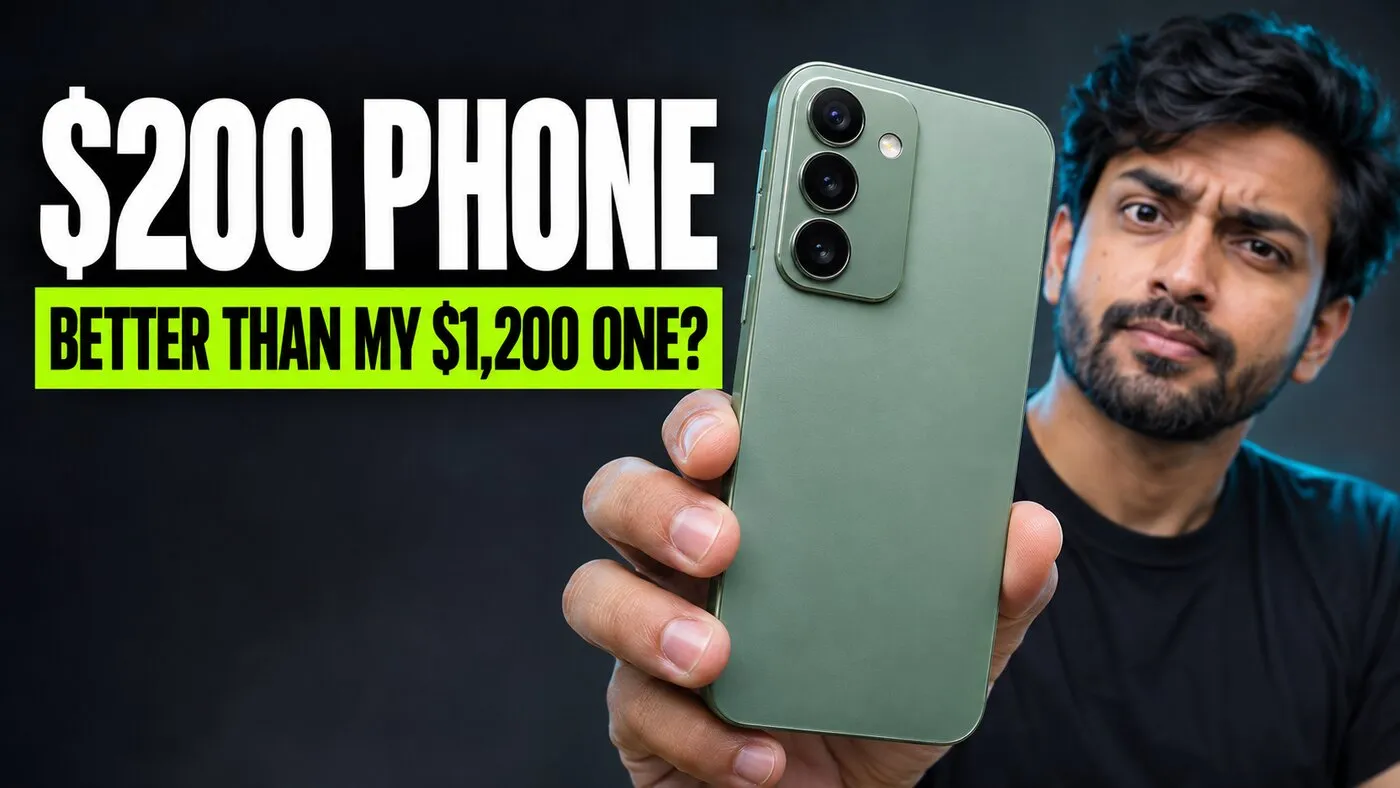
YouTube’s Test & Compare picks the winner by watch time, not clicks. A thumbnail that gets clicks but promises the wrong thing loses viewers fast, and loses the test.
 Shocking!
Clickbait
Clicks
Watch time
Honest
Clicks
Watch time
Plain
Clicks
Watch time
That’s why a good designer works from your video, not just your title. The thumbnail is a promise, and the video has to keep it.
What hidden costs should you watch for?
The price is only the part you see. Check these before you pay anyone.
- Fees. Marketplaces add a service fee on top of the listed price.
- Source files. Without the editable file, every small change means a new order.
- Revisions. One round runs out fast. Ask what happens after it.
- Full resolution. YouTube now recommends 3840 x 2160 thumbnails. Plenty of sellers still deliver 1280 x 720.
- Rush jobs. Need it by tonight? That often costs extra.
- Your time. Finding, briefing, reviewing and chasing designers takes hours, especially when the first two don’t work out.
What you also pay
- Fees
- Source files
- Extra revisions
- Rush jobs
- Your time
The most expensive thumbnail is the one that costs you views. A $5 thumbnail that underperforms isn’t cheap.
How do you hire a thumbnail designer without wasting money?
Pay for one test before you commit, and judge it with YouTube’s own numbers.
- Collect five thumbnails you’d click from channels in your niche. That’s most of your brief.
- Pay for a test. Ask them to redo one of your existing thumbnails.
- Check it at phone size, next to the other videos people see in your niche.
- Test it against yours with Test & Compare before you switch your whole channel. One creator had a designer redo all 15 thumbnails at once and watched their click-through rate drop.
- Get the terms in writing: revisions, source files, usage rights, turnaround and the price of extra versions.
- Send good raw material: a sharp photo of yourself, the title and the one thing the video delivers.
Walk away from portfolios where every thumbnail looks the same, “custom” work that’s a resold template, and anyone who guarantees a click-through rate.
The best designers don’t stop at making thumbnails look good. They learn your channel, keep your look consistent, and hand you real options to test. That’s the job we take on: we keep your style on file, and every one of our YouTube thumbnail examples is built to stand out in a crowded feed.
What should a thumbnail quote include?
Before you pay anyone, make sure you know each of these.
- The full price per thumbnail, fees included
- How many concepts you'll see
- How many revisions are included
- Delivery time, and the cost of a rush job
- Full resolution files, at 3840 x 2160
- The editable source file
- The right to use it commercially
- The price of extra versions for testing
Thumbnail cost questions creators ask
How much does MrBeast pay for thumbnails?
There's no confirmed number. The often-repeated $10,000 figure has no primary source. What is on record is the effort: his team makes around 50 thumbnail and title concepts for a single video.
Is a $5 Fiverr thumbnail worth it?
Sometimes. Some small creators are happy with them. Expect to try a few sellers, check that you are not buying a resold template, and ask whether the source file is included.
Can AI replace a thumbnail designer?
For fast drafts and cheap variations, it helps, and YouTube Studio can now generate thumbnails that match your channel. Some creators report AI versions winning their tests. You still need someone who can tell which version is right for your video, and viewers are getting tired of look-alike AI thumbnails.
What size should a YouTube thumbnail be?
YouTube recommends 3840 x 2160 pixels, in a 16:9 shape, as a JPG or PNG. The minimum width is 640 pixels. Files can be up to 2 MB when uploaded from your phone and 50 MB from a computer.
How many thumbnail versions should I make per video?
YouTube's Test & Compare tests up to three at a time. Making two or three is worth it for the videos that matter most to your channel. For the rest, one strong thumbnail is enough.

Written by
Maya Chen, Design lead at Viewmize
Maya helps creators build brands people recognize at a glance. She has designed covers, channel art and press kits for independent musicians, podcasters and YouTubers.
Ask Maya's team a question
 Maya Chen ·